Hotel Front Desk SoftwareThe front desk, on one board.

Every room, night by night. Bookings from the website, the phone, a walk-in or an OTA land on the same board.

  • From Operate
  • Phone, tablet or desktop
  • 15 to 40 staff logins
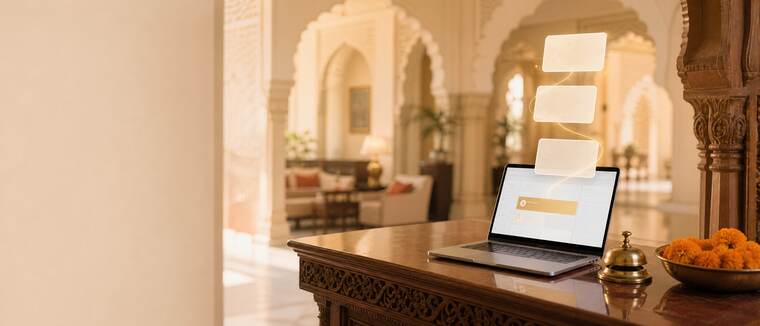
Front desk in a heritage hotel lobby with the room board on a laptop

Front desk: what it does

Manage

Arrivals, departures and rooms by floor

Check guests in and out, assign rooms, extend or move a stay, and close the day with the drawer counted.

  • Walk-ins booked in seconds
  • The morning list of what needs you

Front desk

Wed 30 Sep

TodayTomorrowWeek
19arriving8 need a room
17in house41% occupied
35ready to sellclean and free
$14.2kcollected todayCard, Apple Pay, cash

Arrivals 3 of 19

  • James Porter2 guests · Phone
    Royal Heritage Suite
    Room 403
  • Hannah LeeWebsite
    Courtyard Room
    Assign room
  • Liam CarterBooking.com
    Deluxe
    Room 402

Manage

Occupancy calendar and room map

A fortnight at a time, with a block per stay. Assign, change or move a room from the row.

  • Warns about bookings with no room yet
Occupancy · Wed 30 Sep to Tue 6 Oct
RoomWedThuFriSat
101PorterPorter–Lee
102–CarterCarterCarter
201WalshWalshWalshWalsh
202––HoldHold

Manage

Holds and group blocks

Hold rooms with a deadline, or promise a block to a company or a wedding party with its own rate and rooming list.

  • Lapsed holds go back on sale
Mehta wedding12 rooms · 3 nights · 2 days left
Held
Acme Inc.6 rooms · corporate rate
Block
Walk-in enquiry1 room · tonight
Released

Manage

Rate calendar

Seasonal and occupancy pricing, with extra adult, child and bed rates. Change a date and the website follows.

  • Rate plans and packages
Rates · Deluxe
DateRateRule
Fri 2 Oct$149Weekend
Sat 3 Oct$16980% full
Mon 5 Oct$119Weekday

Manage

Bring your data across

Import rooms and photos from your OTA listings, or bookings from a spreadsheet. Anything that fails waits in a queue to fix.

  • Export any time
OTA content import14 room types · 96 photos
Done
bookings.xlsx212 rows · 3 to fix
Review

How it works

Four steps, no training.

What happens, from the first minute to the end of the day.

  1. Load your rooms

    From your OTA content or a spreadsheet.

  2. Set your rates

    Seasons, weekends and occupancy pricing.

  3. Bookings land on the board

    Website, phone, walk-in and OTA, all in one place.

  4. Close the day

    Drawer counted, nothing left open.

What you get

Everything in Front desk.

By plan. Items marked Soon are being built and switch on at no extra cost.

FeatureDirectOperateOperate Plus
Arrivals, departures, in-house, walk-ins, room allocation, day close–
Occupancy calendar by room
Morning list of what needs attention
Holds that release themselves, booking cut-offs
Group and corporate room blocks–
Room types, rooms by floor and wing
Rate calendar with seasonal and occupancy pricing
Staff logins31540
Team and rolesBasic

Questions

Before you ask.

Anything else, ask on WhatsApp after you watch the demo.

Compare plans
Do I have to move everything across on day one?

No. Most hotels start with the website and booking engine. The front desk, restaurant, spa and banquets can follow when you are ready.

Can several people work the desk?

Yes. Operate has 15 staff logins and Operate Plus 40, each with a role and permissions you set.

Can I bring bookings from my old system?

Yes. Import them from a spreadsheet. Anything that does not fit waits in a queue for you to fix.

Demo videos

Watch Boost360 Hotels in action.

Tell us about your hotel and both parts of the demo play right away.

  • Part 1 and Part 2, on your phone or laptop
  • The links come to your email and WhatsApp
  • No card, no commitment
Prefer to talk first? Get in touch

We also send both videos to your email and WhatsApp. We use your details only for this demo.

Boost360 Hotels demo

Ready to try it on your hotel?

Start 14-day trial